Helpdesk
2 minute read
How To Check For Malware On Your FiveM Server
How to check for malware on your FiveM server involves reviewing server logs, monitoring resource usage, and scanning resources and scripts for suspicious files or malicious code. However, in RocketNode, you can run a malware scan in seconds with our malware scanner!
Running the Malware scanner
-
Access the RocketNode Panel.
-
Stop the server.
-
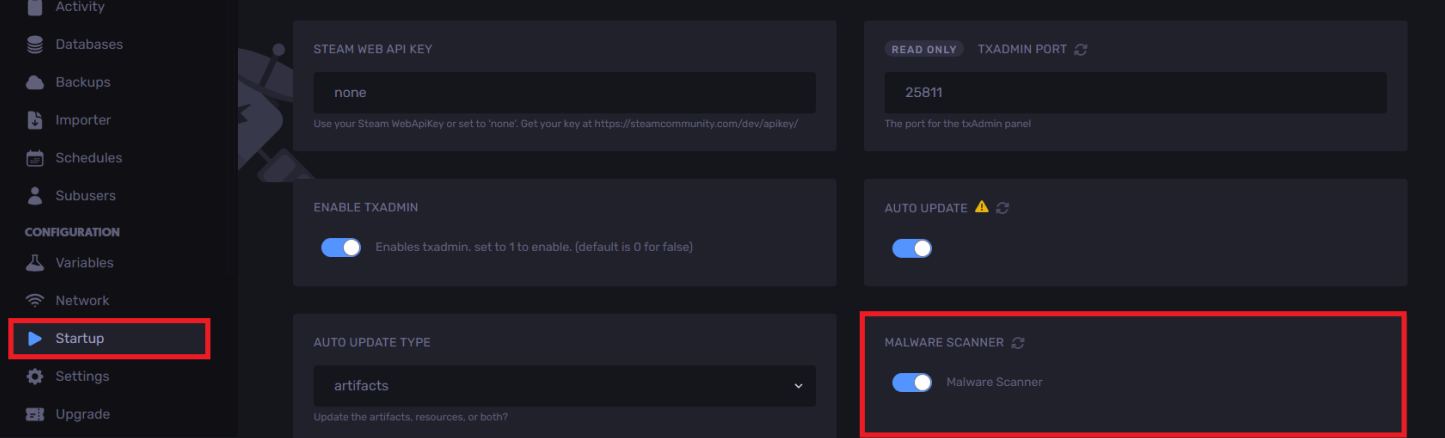
Head over to the “Startup” tab.
-
Enable “Malware Scanner”
-
Start the server.
If it states that `There can be false positives`. Please contact us so we can give you more details.
If the scanner detects malware, you will see a message like this:
[Malware Scanner] 1 Malware found
[Malware Scanner] Server will not start up to prevent further damage to your
files. Please contact support.
To clear the malware
-
Stop the server.
-
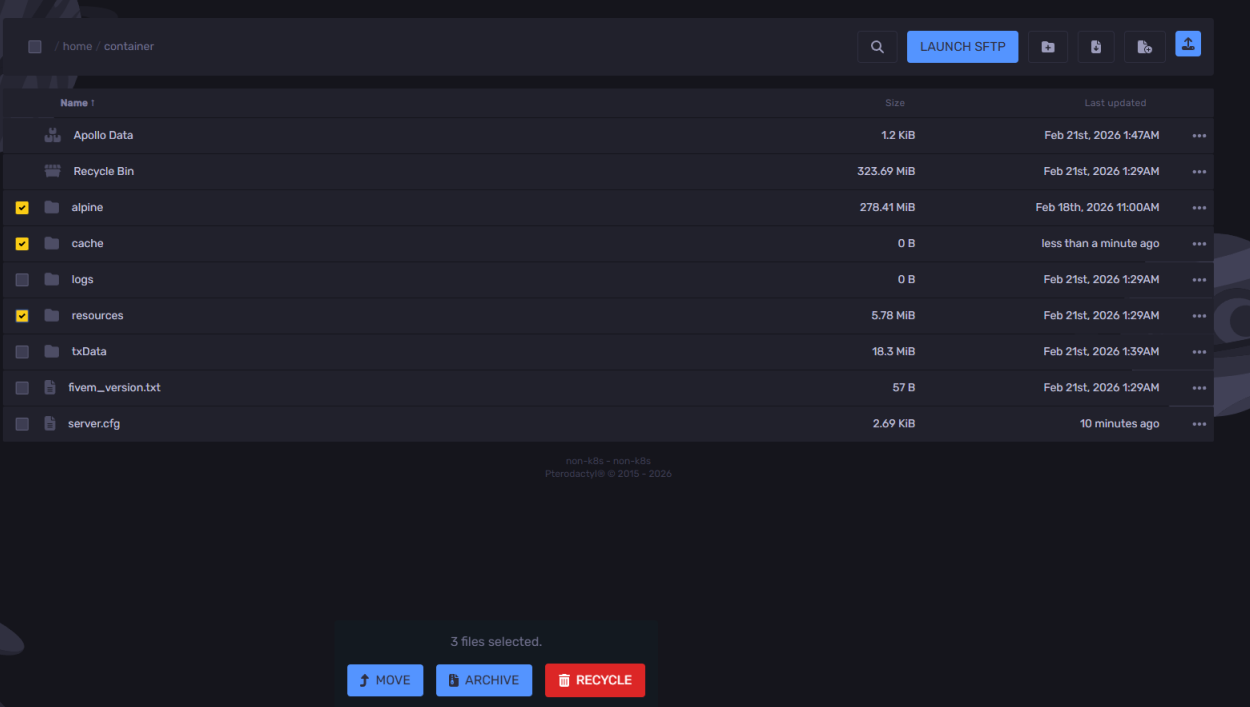
Navigate to the “Files” tab.
-
Delete `resources` (ideally all of them, or just the infected ones, depending on our malware scanner).
-
Delete the `alpine` folder.
-
Delete the `cache` folder.
-
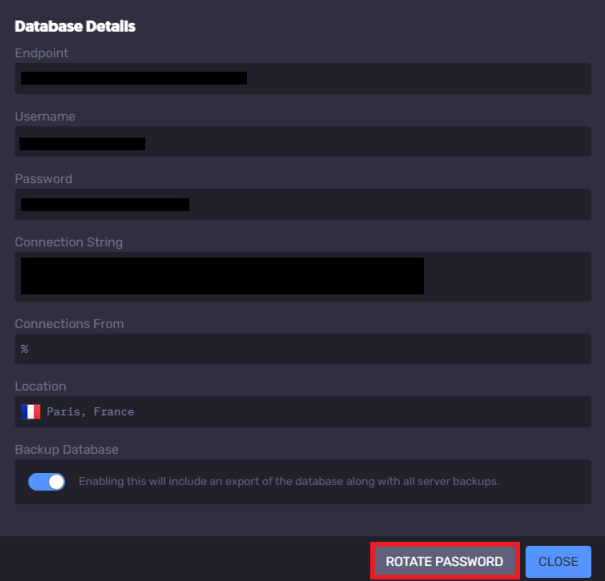
Change the database password by using the “Rotate Password” button.
-
Set up resources again, making sure NOT to install any leaked scripts, and run the malware scanner after each resource.
Find out more about FiveM server hosting with the help of our Knowledgebase articles that can be found here. For any questions please contact the support team via Discord or on-site Tickets.
your hosting partner
RocketNode offers fast and affordable game and VPS hosting solutions on reliable and efficient hardware with AMD Epyc architecture and NVME storage to assure high performance.
See games & pricing